> For the complete documentation index, see [llms.txt](https://doc.openioe.in/llms.txt). Markdown versions of documentation pages are available by appending `.md` to page URLs; this page is available as [Markdown](https://doc.openioe.in/open-ioe-app/features/iot-devices.md).
# IoT Devices
Add | List | Edit | Delete | View | Download | API
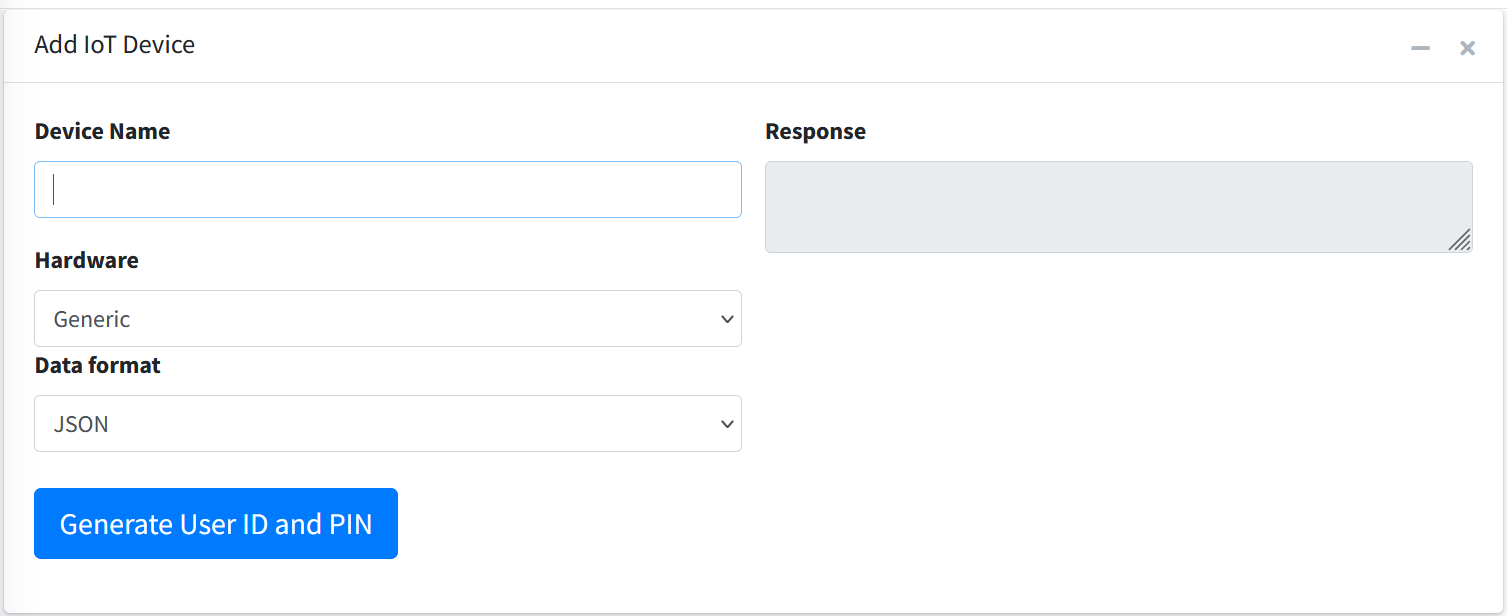
### Add New IoT Device
1. Components >> IoT Devices >> Add IoT Device
2. Provide any device name
3. Choose hardware device. Available is only Generic.
4. Choose type of data
* Value
* JSON
* XML
5. Click on 'Generate User ID and PIN' button.
### List of IoT Devices
**Operations**:
* View IoT Device data
* Edit Data
* Edit Device Configuration
* View REST APIs
* Download Time Series Data
* Delete IoT Device